In my previous blog post, I wrote about my experience using an Asus Eee PC netbook from 2007 as a daily driver. With obvious limitations, no modern web browser for instance, the experiment went surprisingly well. (until the notebook randomly bricked on me, that is) A good friend of mine happens to have a Nintendo Wii dusting away in his basement, and I thought... Can we turn this baby into a UNIX workstation..? He generously donated the console for science.
The Nintendo Wii was released in 2006, a year before the Asus Eee PC 701 4G that we explored in our previous post. Like the infamous notebook of yesteryear, the Nintendo Wii was specifically designed as a low spec'ed device. It did not chase triple A performance like its PlayStation and Xbox competitors, but focused on cheap, but innovative, family-friendly games. It championed interaction through wireless motion censors and collaborative online gaming, and offered affordable but fun entertainment. Aside from Mario kart and other iconic game titles, the Wii is actually very much a general purpose computer under the hood, which gives us UNIX geeks some interesting opportunities. It sports a 730 Mhz single core PowerPC CPU, a GameCube-like GPU and 64 Mb of GDDR3 memory + 24 Mb of fast 1T-SRAM memory. (88 Mb in total) It had a 512 Mb flash disk for internal storage, but for our purposes, we're running our OS from an SD card - and like the Eee notebook, the Wii cannot read large SDXC SD cards, meaning that we are limited to 32 Gb or less storage.
Although from 2006, the specs here are close to a low-end G3 iMac from 2001. The memory is especially abysmally low on this device. As a comparison, the classic DEC VAX-11 machine introduced in 1977, and finally discontinued in 1988, could be maxed out at 128 Mb of RAM in later models, while the CPU was only 5-7.5 Mhz. (about 100 times slower then the Wii's CPU) In our previous post about the Eee netbook, RAM was the least of our worries, this time it's vice versa - we have almost no RAM but a comparatively powerful CPU. (comparatively mind you; it's still ~50 times slower then a modern MacBook Pro)
Choice of operating system was somewhat limited on the Eee PC if you recall, but the situation is a lot worse on a Nintendo Wii, since it's not a "PC" - that is, not an x86 CPU architecture. It uses the now discontinued PowerPC architecture, a RISC based CPU designed in collaboration between Apple, IBM and Motorola. Apple used it in its desktop and laptop lines from 1994 to 2006, and more surprisingly, it was a popular architecture for gaming consoles in the early 2000's; Nintendo GameCube, Wii, Wii U, Xbox 360 and PlayStation 3 all used it. For the Wii at least, this choice made perfect sense; Like ARM and other RISC based architectures, PowerPC is cool and silent compared to x86. As for performance, it wasn't even a concern for Nintendo.
But modern support for this platform, discontinued 20+ years ago, is rapidly fading. There are a few Linux distros that still support PowerPC, the main BSD's support it in one form or another, as does a handful of even more obscure alternatives, like MorphOS. Supporting (the correct version of) PowerPC alone though is not enough to run on a Wii. You need a system that can run with minimal RAM usage, and it needs to support the rather unorthodox installation requirements of this device. The only way you can run a non-standard OS on a Nintendo Wii is to hack it; By exploiting various weaknesses, you can install a 3rd party application called the Homebrew Channel. This app allows you to run other 3rd party software on the Wii, including operating systems that have been prepared for this environment. There is interest in porting FreeBSD to the Wii, and Linux ports, such as Wii-Linux-NgX, have existed for a long time. (too long perhaps - Linux developers are an erratic bunch) You can even install Mac OSX if you want to. But the most well supported candidate (AFAIK), is NetBSD. The Nintendo Wii port is a tier 1 platform; It is receiving active updates from the core developers, and NetBSD provides a repository of binary applications for its architecture. We'll likely see this device supported for many years to come. So, it's a natural choice for our challenge.
Installing NetBSD onto a Nintendo Wii is a two step procedure. As mentioned, you must first hack the Homebrew Channel onto the Wii. The legality of doing this is suspect. In Europe, where I live, the law generally grants the user more digital freedom then other areas of the world (e.g. USA) might. As long as you have legally bought a Nintendo Wii, or any other product, as I understand it, you can basically do whatever you want with it for personal use. (it is illegal to hack the product on behalf of someone else though, or to resell a hacked device - an important detail that is sadly ignored by some of my fellow countrymen) Since this might be illegal in your country, I will not document how to do this. Once the Homebrew Channel is installed however, getting NetBSD up and running is very simple. Just download the Wii image from a NetBSD mirror and flash it onto an SD card. (e.g. dd if=wii.img of=/dev/<mysd>) At first run NetBSD will expand the filesystem to fill the entire card and reboot, after that the system is ready for use.
PS: I am not a lawyer; The paragraph above should be read as personal commentary, not as legal advice!
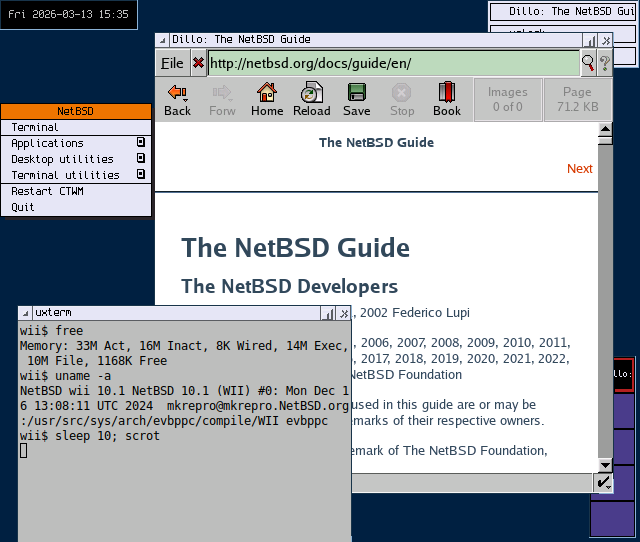
Besides very limited resources, the NetBSD Wii port is not 100% compatible with the hardware; The WiFi card does not work as of 10.1, so to go online you'll either need a Nintendo compatible Ethernet adapter or a USB WiFi dongle compatible with NetBSD. I used an old TV monitor as my screen, but you likely need a Nintendo HDMI adapter if you want to use a computer screen. (few modern computer screens will accept the low Nintendo resolution though) As mentioned, the Wii port cannot use the internal hard disk, you'll have to boot of an SD card with a maximum size of 32 Gb. (you can use USB pendrives and such for additional storage) Note also that getting the Homebrew Channel installed on the Wii might require a small-sized SD card, say 1 Gb, depending on what method you use to hack the device. Audio does work, but it can cause kernel instability in my experience. It's generally a bad idea to listen to music while compiling software or doing any other heavy operation! As a final aside, the Wii's CD-ROM does not work in NetBSD.
Update: With the new release of NetBSD 11.0, WiFi (see bwi(4) on how to obtain the required firmware) and CD-ROM on the Wii is now supported! This release also fixes a discoloration issue that I sometimes saw in DOSBox, but introduces a far more annoying pixel corruption issue that makes it harder to read text on the screen. (the fact that the screen resolution changed from 640x542 to the more standard 640x480 could be an important clue as to why?) All in all, I'll call this a job well done - fixing old issues and introducing new ones is what upgrading is all about!
Generally speaking, NetBSD is a more "hands-on" system then your average Linux, or even average BSD, variant. (well, more hands-on then OpenBSD anyway) You are expected to read the NetBSD documentation and work out small kinks and difficulties yourself. Even more so on a niche port like the Wii! As a simple example, the package manager is not set up for you, and the timezone is set to UTC by default. Reading the quickstart instructions on the pkgsrc homepage, and the last line in paragraph 5.9. System time in the NetBSD User Guide will tell you what to do. This is not Linux, and it is very niche, so you should be prepared to learn new things, and expect imperfections. For instance, many of my personal scripts did not run until I changed the shebang line from #!/bin/sh to #!/bin/ksh. (on Linux /bin/sh is usually symlinked to bash, but that is not the case on BSD systems) Since I'm a dvorak user, I added encoding us.dvorak to /etc/wscons.conf. (again - NetBSD specific!) However, an annoying Wii port bug randomly prevents NetBSD from reading that configuration at boot. You can work around this by manually typing wsconsctl -w encoding=us.dvorak, and obviously you can add that command to a script or an alias. Speaking of niche language needs, if you need to read non-English text, your best bet is not fire up a window manager and run uxterm. These are just a few examples, but hopefully they illustrate the hands-on nature of using a Nintendo as a UNIX-like workstation. Personally, I find the extra resistance that NetBSD gives me educational and enjoyable, but if you want something that "just works", you'll be disappointed.
Update:
Upgrading to NetBSD 11.0 added some additional wrinkles;
The default package URL path,
https://cdn.netbsd.org/pub/pkgsrc/packages/NetBSD/$arch/11.0/All,
did not work.
Looking up the URL manually,
I found that the 11.0 directory wasn't populated,
but 11.0_2026Q2 was.
So,
to get the package manager up and running I needed to run:
$ url=https://cdn.netbsd.org/pub/pkgsrc/packages/NetBSD
$ export PKG_PATH=$url/$(uname -p)/11.0_2026Q2/All
$ pkg_add pkgin
Lastly,
pkgin also pointed to wrong repository,
so I needed to edit /usr/pkg/etc/pkgin/repositories.conf.
And actually,
I had to wait about a month after the release of NetBSD 11.0 before I could even do this work around,
since the 11.0_2026Q2 repository for powerpc did not initially include important pkgin dependencies.
Such wrinkles will be sorted out in due time no doubt,
but it underscores my point above;
You should be prepared to pull up your sleeve and get to work if you go with NetBSD.
(also - it's prudent to wait a few weeks before installing the newest version)*
The Nintendo Wii is a better gaming platform then the low specs would indicate; and you can still get many Wii games cheaply at 2nd hand retailers. Our focus in this article though is not native Wii games, but rather, using the NetBSD Wii port. And the amount of gaming options in this environment will be limited. Terminal based games will work naturally (except the very biggest roguelikes), including the bsdgames in /usr/games and other classics, like nethack, vms-empire, nudoku and ztrack. You can also play interactive fiction in the terminal with frotz, besides MUD's, BBS's and other geeky stuff. But GUI gaming is limited. You can obviously forget about SuperTuxKart and The Battle for Wesnoth, but even 3/4 of the simple GUI games that I tested did not work for various reasons. Some that did work were Pingus, IceBreaker, Frozen-Bubble, The Ur-Quan Masters, Maelstrom and Fish Fillets NG.
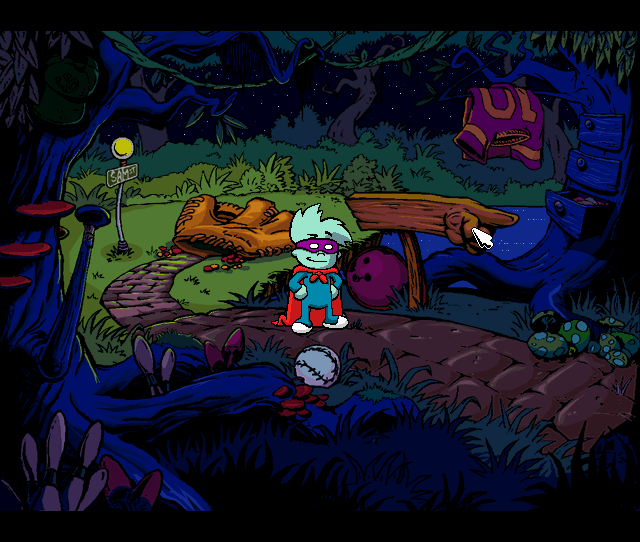
ScummVM is too big to run by default, but you can compile a lite version that only enables a handful of the 100+ game engines available. Since I'm a lazy boy, I downloaded the precompiled tarball from "astr0baby", aka. "DoktorCranium", a fellow UNIX enthusiast that has posted a rather impressive YouTube video demonstrating his NetBSD Wii adventures.* (in addition to this video, I was also greatly inspired by Alex Haydock's blog hosted on a Nintendo Wii running NetBSD) His package is a bit outdated by now, so I needed to manually add a symlink (ln -s /usr/pkg/lib/libtheoradec.so.2 /usr/pkg/lib/libtheoradec.so.1), but other then that; install dependencies with pkgin, then the tarball with pkg_add, and I was good to go. (this is sloppy of course, compiling ScummVM to your specifications is the best approach) And I must say, this worked a lot better then I had anticipated. Classic Sierra, Lucas Arts and Humongous games worked like a charm, even heavier titles, like The Curse of Monkey Island worked well! DOSBox worked out of the box. (No pun intended) And as long as I ran simple early 90's games (at ~4000 cycles), everything worked fine. Some lag and choppy sound here and there, but that just adds to the nostalgic realism ;) Some suggested settings in ~/.dosbox/dosbox-*.conf might be:
fullscreen=true
output=surface
frameskip=3
scaler=normal2x
core=simple
cycles=4000
Ironically, you can forget about running any kind of Nintendo emulators in NetBSD's Wii port. (or any other console emulator for that matter) The hardware simply isn't power enough to run any kind of virtual machine.* But you can of course run Nintendo Wii games natively, and the original Wii also supports GameCube titles. Apparently, there are also a number of emulators that can run directly in the Homebrew Channel. How well this works, and how to set it up, however, is outside the scope of this article.
Development on such a low powered machine will obviously be limited. To illustrate, compiling nextvi and neatroff (simple implementations of vi and troff) took 1.5 and 4 minutes. (3-6 times slower even then on the Eee PC!) Now these are very simple projects with basically no dependencies. Compiling more complicated software quickly becomes as time consuming as it is painful. For instance, like a good boy, I decided to compile my own lite version of ScummVM, instead of piggy backing on the good work of DoktorCranium. After extracting the pkgsrc tarball, I navigated to /usr/pkgsrc/games/scummvm and added the following lines to the Makefile:
...
CONFIGURE_ARGS+=        --disable-all-engines
CONFIGURE_ARGS+=        --enable-engine=scumm
...
This reduces the 100+ game engines that ScummVM supports into one. (the ScummVM wiki can help you figure out exactly what game engines you need to support your games) Once that was done, I ran make DEPENDS_TARGET=bin-install. You can run make install if you love compiling, the difference with the first alternative is that it tries to pull in the dependencies as binaries instead of recompiling the whole massive chain. Even so, it took a few hours with package conflict resolving to get a build going. After 2.5 hours the build encountered an unrecoverable error somewhere deep inside the ScummVM source code and borked. So, how long would it take to build a minimal ScummVM assuming everything worked..? No idea. As for DOSBox, the build only took 12 minutes to fail. I suppose these failures illustrate that you should not expect your favorite project to compile without issues on a niche OS running on top of a 20 year old deprecated architecture. Of course, the pain is directly proportional to the source code complexity.
Although it's hard to recommend a Nintendo Wii for "professional" development, you certainly can use it to write code for personal use. This is especially true if you stick to old school programming languages, such as C/C++, shell, awk, perl, tcl, etc. Besides efficiency and a small footprint, these tools work well on obsolete architectures. As for text editors (and everything else for that matter), the rule of thumb is simple: Any terminal based editor goes, including behemoths like Neovim and Emacs. (non-GUI that is; and without a bucket load of plugins) - Of course, it doesn't hurt to use a lightweight editor, say vis or joe. Any GUI editor on the other hand, is basically a no go! There are only a couple of exceptions here; Leafpad, NEdit, and xfw, included in the xfe package, work well, anything else is a pain at best. We'll get back to why GUI applications are so difficult to run on the Wii later.
As mentioned, intensive loads while playing audio tends to make the kernel a mite wobbly. But don't get too alarmed; I have routinely listened to music while doing light multitasking on the Wii without issues. Just be careful when you do; work on your definitely-not-backed-up secret government projects in silence! I normally use play, included with the sox package, to play my music, but any terminal based audio player (e.g. moc) will do the job. You can use aiomixer to adjust the volume. As for video, I was able to play 240p (~VHS quality) using mplayer -vo x11, by comparison DVD quality is 480p, so yeah.., don't throw away your home entertainment system just yet!
Ah, yes, this is a sore point... As you may have noticed already, we are having serious trouble running anything graphical on the Wii. Now, you might be thinking that X11 is the culprit; Normally, X11 eats between 50-100 Mb of RAM on modern devices - on a Nintendo Wii that would stomp the poor device like a cute mushroom! However, on my tests X11 only consume between 5-10 Mb. I'm not exactly sure how NetBSD manages to run X11 with so little memory, but I suppose the static 640x542 resolution might have something to do with it. (for a sense of scale; all the screenshots in this article are not thumbnails - they are full sized 1-to-1 screenshots) Given that the system itself needs ~20 Mb, you are still well within hardware limitations.
In fact, pretty much any standalone window manager will run just fine. Enlightenment (e16) had a serious bug where it froze if you tried to access the applications menu, though you could set up keyboard shortcuts for your apps and work around it, I suppose. (this issue is fixed in 11.0) Window Maker had a less serious, but annoying, bug, where the GUI configuration app always crashed. You can use the 3rd party wmakerconf, which only crashes once in a while, or you can hack the config files directly like a boss. Now, these two are probably the most complicated X11 window managers you can find, all the others I tried work without a glitch, including IceWM and the default CTWM.
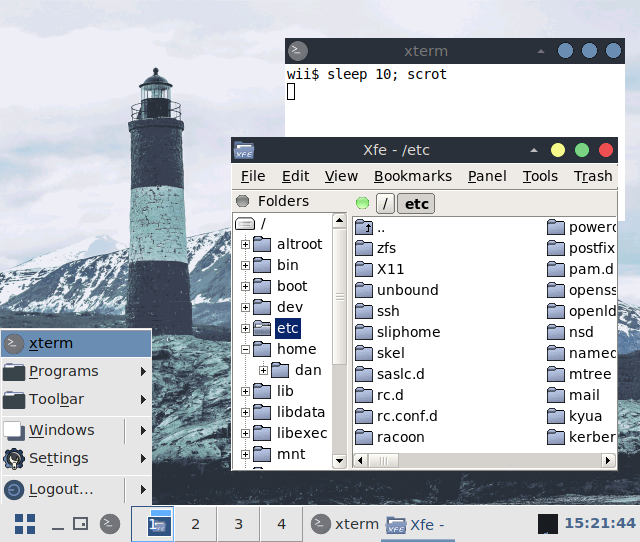
Full blown desktop environments are out of the question! (well, CDE will probably work, if you can compile it successfully) And more to the point; Basically any GTK/Qt application is not going to work. But why..? UNIX workstations in the 90's, that were significantly weaker then the Wii (in terms of CPU at least - RAM was usually on par or better), still ran a desktop with bucket loads of GUI applications. How come we can't even run a simple GTK text editor today?!? Because of software bloat. Whereas GUI applications in the 90's were largely "static", with every little graphical capability built directly into the program source without any extra fluff, todays GUI applications are highly dynamic; They pull in large toolkits and other dependencies to do the heavy lifting, and these dependencies are incredibly large, since they need to cater for any and all GUI needs.
It's no coincidence that the GUI applications that actually run very well on the Wii, all have either dedicated toolkits (e.g. xfe's FOX toolkit and Plan 9 software using devdraw, such as plan9port or drawterm), or use a very lightweight toolkit (e.g. dillo using FLTK, xpdf (version 3) and nedit using Motif and xcalc using X11's own X Toolkit) Perhaps more telling, is the fact that we can play some relatively intensive graphical games, such as ScummVM and native Wii titles. When even simple GTK/Qt apps crawl to a halt, it says something about the invisible bloat underneath. (the effort to keep Qt3 and GTK2 alive is interesting in this context) So, yes, you can theoretically build GUI applications with light toolkits that will run just fine on the Wii. In practice however, the world is rapidly moving away from such constrained environments, and a modern GUI desktop today is much less useful on weak hardware then it was decades ago.
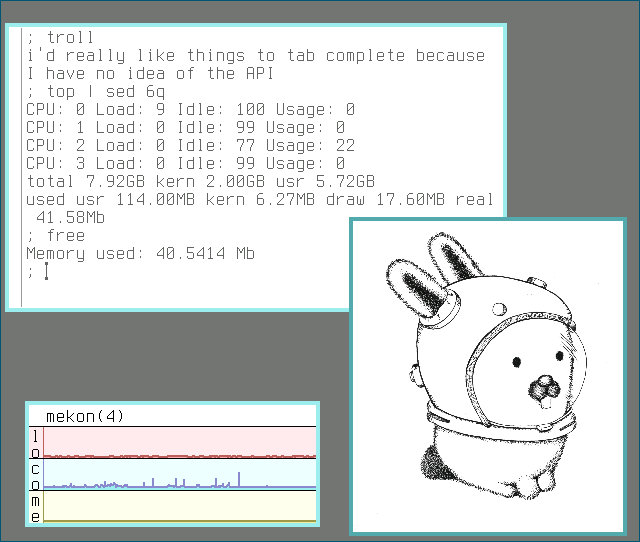
Does this mean that a "Wii workstation" is less practical then a UNIX workstation of yesteryear? Yes and no. One one hand, besides being famous for producing 3D feature films, like Jurassic Park and Toy Story, commercial UNIX workstations in the 90's came with a desktop environment and could run professional GUI software, such as web browsers and office suits. And no, you certainly cannot replicate a modern equivalent of such functionality on a Nintendo Wii.
On the other hand, despite flagship GUI applications, the day-to-day work flow on such UNIX workstations were overwhelmingly done in the terminal. And in this area, running modern NetBSD has significant advantages over the commercial workstations from the 90's, such as; git, Unicode support, ssh, a package manager, sysadmin tools like tmux, ncdu and nnn, and powerful text editors. (modern vim and joe are more powerful then vi and joe from the 90's) Terminal applications do not suffer from the same toolkit inflation that GUI apps does, and over the years an impressive amount of useful programs have augmented this geeky environment. (this is less true then it used to be, as even terminal based applications are migrating to Rust, but for now at least, the modern command line is still a powerful tool on ancient devices) If you learn to love the terminal, you can absolutely convert a Nintendo Wii into a useful UNIX workstation!
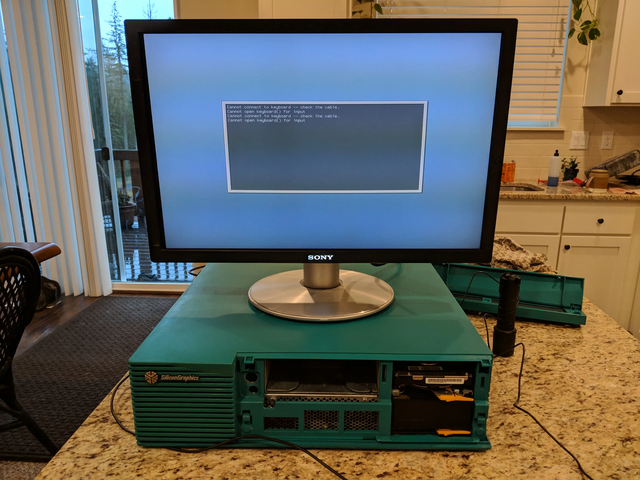
Let's be clear: "web browsing" in the modern sense is not possible on a Nintendo Wii! The only GUI browser that works well is Dillo. On the terminal side of things, you have a few options; w3m, elinks, links and lynx, are the popular choices. Although you can use these browsers to read simple HTML sites, like this one,* you will find virtually no simple HTML sites out there these days. wiby.me, frogfind.com and good old wikipedia.org are some useful references, but don't expect to do your online shopping on a Nintendo!
As for other network related tasks; You can basically do anything you want as long as you do it from the command line. For instance, chatting on IRC (I recommend irssi over weechat since the latter is a wee bit on the heavy side), copying files with rsync and git, and connecting remotely with ssh, etc. finch, the curses equivalent to pidgin, also works fine. (in the TTY you'll need to use Esc rather then Alt) With it, you should be able to text chat with most protocols.
As for email, the story is more complicated. I had no problem reading my emails with mutt, but sending them caused an authentication error. After a lot of digging, including recompiling mutt with the sasl and debug build options (it took about 15 minutes), and installing dependencies like cy2-plain, cy2-login and mozilla-rootcerts, my email server still returned a 535 5.7.0 error, which basically means: Yeah, I understand what you want, and we did shake hands, but I don't like your credentials! I don't know exactly why my email server is giving me attitude. Could this be a weird quirk with the big-endian PowerPC architecture..? (Nah, it must be user error!) In any event, I can always ssh into another machine and send my emails from there. The misadventure nicely illustrates a point though; using NetBSD on a Wii as a daily driver will require some assembly, and realistically, you won't make everything work perfectly.
You absolutely can do serious office work on a Nintendo Wii (as ludicrous as that sounds), however - you'll have to make a mental adjustment; No GUI office suits will run on a Wii, including the lightweight AbiWord. (well, it will "run", but it won't be practical) So to do your office tasks, you will have to use terminal based tools. For serious office work, like text processing and spreadsheets, this means in practice that you will need to do your work in two steps. First, write the "source code" of your documents as plane text using your favorite text editor. Then compile it to PDF using tools like troff or lout, or to HTML using tools like Markdown or asciidoc. The same goes for spreadsheets, write the data as plane text, then use tools like awk or sqlite to generate reports. (that you may or may not want to incorporate into the above mentioned documents)
Exactly what tool you use, and how you go about your office work, is less important then the mental shift. If you are willing to leave the WYSIWYG approach, and put in the effort of learning a simple formatting language, hardware limitations will become irrelevant - even on a Wii! For instance, compiling my 118 page article on operating system complexity to postscript with groff took 16.8 seconds. (about 3 times slower then the Eee PC) And awk used 0.26 seconds to summarize a 50,000 line database of personal expenses. (about the same as the Eee PC) Now, the content of those files may not be very professional, but I think it's a useful demonstration; The article in question includes numerous pictures, tables, footnotes etc, that you'll likely find in serious literature. (~17 seconds to compile a document is a relatively long time, but you only do so once in a while, editing the document with a text editor is instantaneous) And though 50,000 expenses is not exactly big business, I dare say it's sufficient for most private ventures.
As for reading PDF's and viewing pictures, you have a few lightweight options that work well, such as xpdf (version 3) or mupdf for PDF's, and (n)sxiv or feh for pictures. There are also numerous office or pim related terminal applications that you might want to try out. We could mention aspell (spell checker), sc (spreadsheet), bc (calculator), ledger (accounting), gnuplot (graph plotter), calendar (reminding service), taskwarrior (TODO lists), and there are many more tools besides. However, pkgsrc is notably thinner then competing repositories, and not everything it does include will run smoothly on such niche hardware. calcurse (interactive calendar) crashed and wordgrinder (wordpad) is not in the repo, for instance. If you want to dig deeper into the topic of using command line tools for everyday tasks, you might want to check out my previous Console Desktop Guide.* Most of the applications discussed there will work just fine in the NetBSD Wii port.
Our focus in this article has been to use the NetBSD Wii port for casual day-to-day tasks, and we will not dive too deeply into the area of system administration. Nevertheless, if you want to experiment with this on your own, it might be helpful with a few pointers. First of all, this is NetBSD - not Linux. The NetBSD Guide is a must read, and it will be 99.9% relevant also for the Wii port. Monitoring your memory usage is an ongoing vital task on such limited hardware, and I find the following scripts helpful:
#!/bin/sh
# free - print memory usage
# usage: free

top -b 0 | grep Mem
#!/bin/sh
# pss - list applications by memory usage
# usage: pss

ps axo 'rss command' | sed 1d | sort -n | sed 's/^\ *//;s/ /;/' | \
awk -F\; '{
    if($1 > 1024) printf("%7.2f %s\t%s\n", $1/1024, "Mb", $2)
    else if($1 != 0) printf("%7d %s\t%s\n", $1, "Kb", $2)
}'
Personally, I also enabled four TTY consoles, by turning ttyE1 - ttyE3 on in /etc/ttys, but that's just me. Don't bother with this if you use an X11 desktop regularly. (tmux also goes a long way) And finally, I disabled ntpd in /etc/rc.conf. (this is the default in 11.0) Don't do that if correct time settings are critical! Since I'm not using the Wii as a server, but a hobby workstation, conserving memory is more valuable then accurate time. (you can manually sync the clock if you need to, e.g. ntpdate pool.ntp.org) I'm not going to tell you how to switch off the system, and so on - that's what the above mentioned Guide is for.
Can you use a Nintendo Wii as a daily driver? Before we answer that, let's define some important parameters; Only you can answer the above question, this blog is merely my own opinions about how well this experiment worked for me, YMMV. Secondly, daily driver is a vague concept. In the 80's and 90's, people owned exactly one computer, if they owned one at all, and that one machine needed to do all the tasks that had to be done. Today, people often own a smartphone, a tablet, a smart TV, a game console under it, a handheld console, a laptop, maybe even an unused workstation dusting away in the basement somewhere. People don't expect all of these devices to do everything. A Windows laptop cannot do all the things that an iPhone can, and vice versa. So it would be unfair if we defined the question, "can you use a Nintendo Wii running NetBSD as a daily driver", to mean "can you use it for 100% of the tasks you otherwise use other computer devices for". I think it would be more fair to define it as, "can you use it on a daily basis for many of your serious and recreational needs".
Honestly, using a Nintendo Wii as a daily driver, even with this kind definition, was a harder challenge then the previous Asus Eee PC; This was partly due to the crushing RAM limitation, partly due to the fact that a hacked installation on top of a deprecated architecture, is a shakier house of cards then your typical PC setup. To do your everyday chores on the Wii, you are much more reliant on terminal applications then on an Eee PC. Even so, in my opinion the experiment went moderately well, despite a few pain points. And there were actually some positive surprises too. Gaming with ScummVM was impressively smooth, and the few non GTK/Qt GUI apps that still exists, work very well. Last but not least, being a Nintendo after all, there is a sea of gaming and modding opportunities beyond the NetBSD Wii port itself.
Obviously, if you expect to pick up a Nintendo Wii and replace your latest MacBook Pro with it (I don't know why in the world anyone would expect that, but for the sake of argument, let's pretend you do), you will be disappointed. There are many modern tasks (browsing the web springs to mind) that simply cannot be accomplished on a Wii. But many can. If you are comfortable with the command line, you'll have no problems writing documents, managing spreadsheets, handling your appointments, communicating with people online (for the most part), playing games, listening to music (doubly exciting since the percussions can explode the kernel), programming, managing packages and remote servers, etc. Given that a Wii has 88 Mb of RAM, I think this is food for thought in our memory starved world. In any case, I had a lot of fun with this Nintendo, besides Mario kart I mean ;)
NetBSD is not the most popular kid on the block. It lacks a lot of software compared to FreeBSD, not to mention Linux. Worse, it lacks a lot of the driver support that FreeBSD/OpenBSD and Linux has. So the odds of successfully using NetBSD as your daily driver on any random laptop is noticeably lower. Why then would anyone bother using it at all?!?
In my opinion, that question is wrong for two good reasons; First of all it assumes a mindset where anything and everything that is not "number one" should be excluded. Demanding that people need to justify their existence is inappropriate in a pluralistic society. Thousands of people enjoy using NetBSD daily, why should you deny them this freedom just because you have a different preference? Secondly, difference can be a strength. It is certainly true that Linux has strengths that NetBSD lacks, but the reverse is also true. A primary area where NetBSD truly outshines all other competitors, as examplified in this article, is its support for niche hardware. No other modern OS has the level of support for a Nintendo Wii as NetBSD does, and this is just one example of many. Currently, NetBSD has tier 1 support for 9 different architectures, plus 50 tier 2 architectures. By comparison, Gentoo supports 13, twice as many as Debian. The point? Let us celebrate, not censor, diversity.
This may sound like a stupid question. After all, you'd be hard pressed to even find an old laptop nowadays with less then 8 Gb of RAM. NetBSD managed to run most of our applications, including many graphical games, on a device that has 1% of that memory - how can we possibly call NetBSD bloated? Well. Truthfully, old systems in the 80's, such as DOS, Amiga, and yes, UNIX and BSD systems, used tens to hundreds of kilo bytes of memory for casual tasks. That is 1000 times less then the most lightweight modern Linux/BSD system you can find today! How?!? Can't we just cut away all the bloat and run Linux or NetBSD or whatever, with 30 Kb of memory, not 30 Mb?
Yes and no. We can use an illustration to help us understand the issue; Imagine a small town of a few hundred people. This town has a single road, the main street, with only a handful of dirt roads connected to it here and there. There are no traffic lights, no busses and no traffic cops; the small town doesn't need them. The road is sufficient to handle the small load of cars, and if an accident occurs, the town folk will just handle it themselves. Now imagine a large metropolis with tens of millions of inhabitants. There are highways, subways, trains, trams, busses, a whole department of traffic cops, not to mention the bureaucracy needed to keep everything running smoothly. The infrastructure can handle thousands of cars, and any accidents are handled automatically by city emergency services. Neither settlement is necessarily "better" then the other, but they are certainly different!
Old UNIX systems were like a small town; They were not built to handle multiple CPU cores, gigabytes of memory, terabytes of storage, etc. Nor did they have the necessary infrastructure to run behemoths like Firefox or VLC. Modern UNIX-like systems, even lightweight alternatives like NetBSD, are "large metropolises" by comparison. Even if you actually use both systems the same way, say edit your files in ed, and nothing else, the ability to handle 128+ Gb of RAM and launch Firefox has significant infrastructure costs. ELKS (Embeddable Linux Kernel Subset) can run in 512 Kb of RAM. But it cannot handle filesystems larger then 64 Mb, or more then a single core 16-bit x86 real mode CPU. As for software, it cannot even (at the moment) run awk. Now, I'm not criticizing ELKS here; It's a super cool system that's well designed for its goals. My point is simply that handling modern hardware/software carries a cost. You can go simpler, but only if you use special purpose hardware and software.